
UX RESEARCH OPS INTERNSHIP TURNED PERSONAL PROJECT
NAVI INSIGHTS ASSISTANT
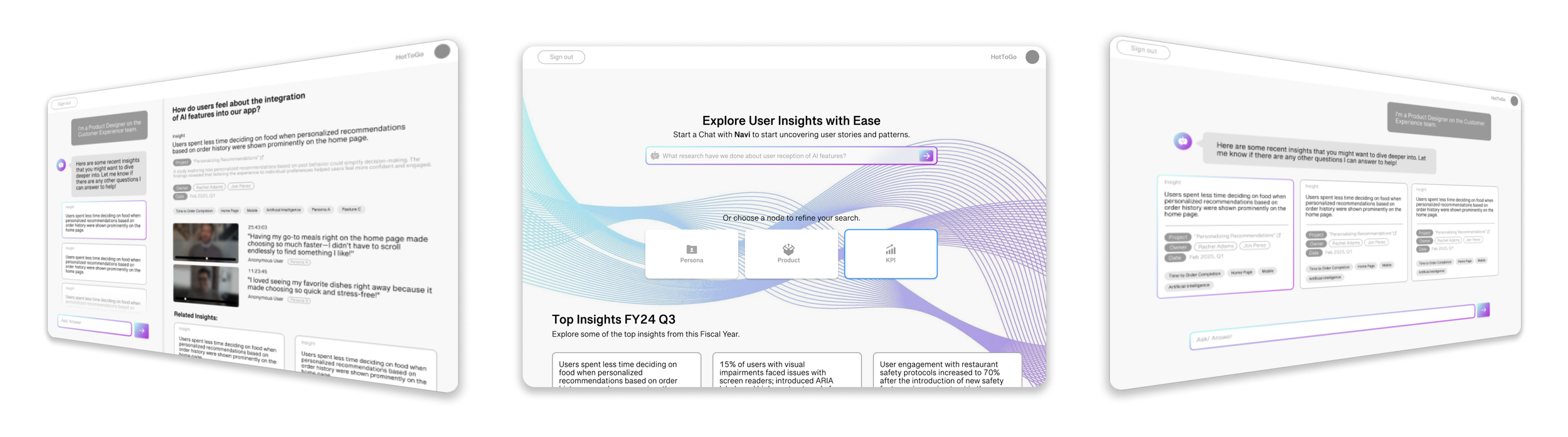
Navi is an AI-powered study insights agent that speaks on behalf of past research, so researchers can stop playing middleman and get back to doing what they do best.
ROLE
UX Research Operations Intern
DURATION
Sep 2024 - Dec 2024
SKILLS
Data Cleaning & Management
User Interviews
Contextual Inquiry
Information Architecture
OUTCOME
My Intern Project at Splunk was implemented across Research and Product Teams.
I presented Navi at the UC Berkeley Jacobs Winter Showcase.


Research Operations & Knowledge Sharing
I was an Operations Intern, but took on the approach of a UX Researcher and Designer.
My goal was to understand key motivations, needs, and pain points of UX Researchers in an effort to improve processes and build better solutions, through a variety of initiatives:
Workflow Diagrams
Visualized workflows to help stakeholders get on the same page.
Participant Incentives Calculator
Made a calculator for researchers to quickly understand what incentives they needed to pay research participants
Research Library Redesign
And the project that inspired Navi was the redesign of the UX Team’s Research Repository
Research Repository Redesign
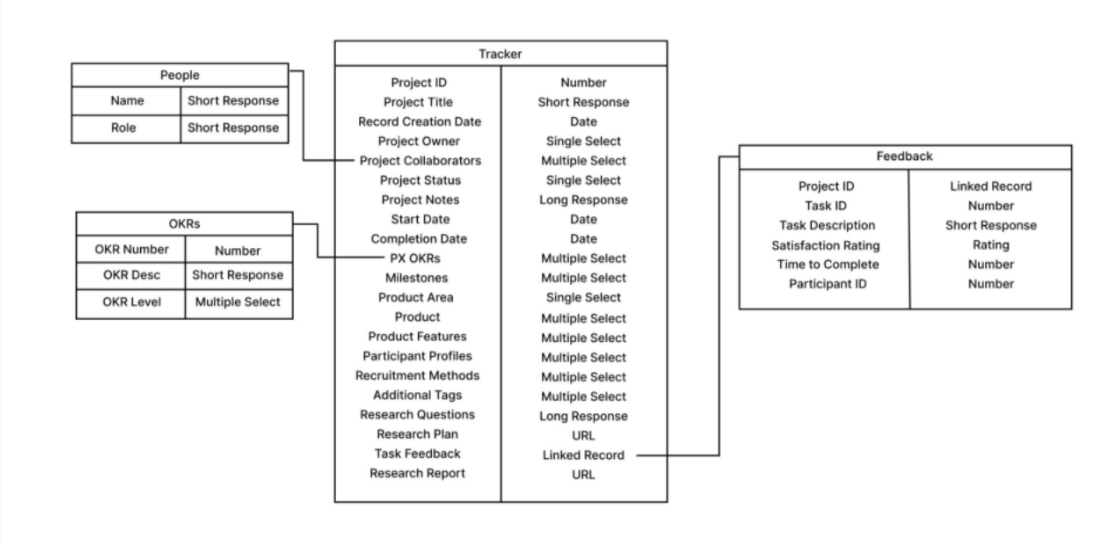
Splunk’s current library required a lot of manual processes to find past research insights. I migrated years of their data from Google Sheets to Airtable, and used automations & dashboards to create a new workflow that was more intuitive.
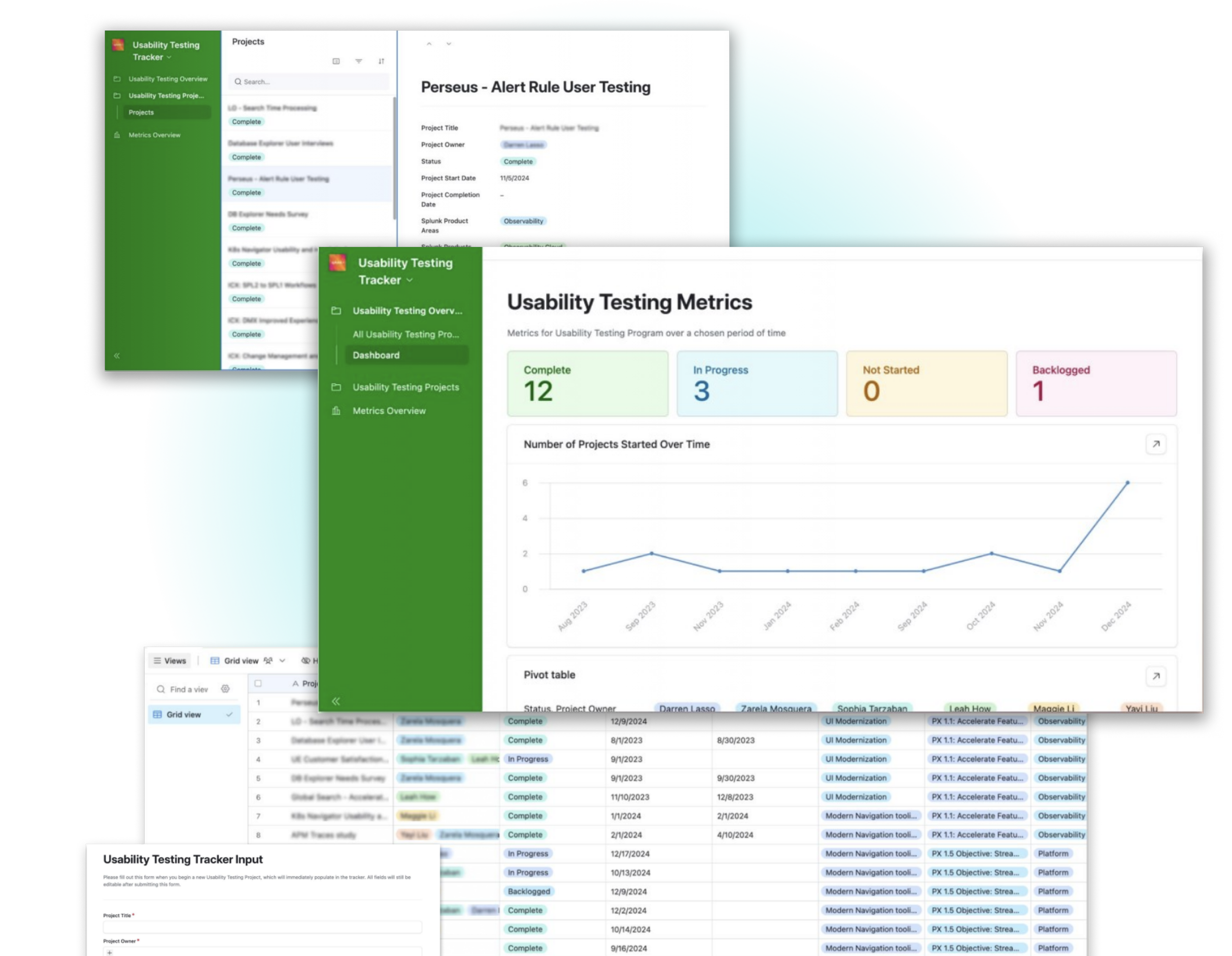
Standardized Input
Reduced errors with structured fields and tags.
Impact Tracking
Added dashboards to link research to KPIs.
Optimized Search
Enabled topic-based search for faster insights.
Evaluation
UX Research at Splunk can now be…

Highly Searchable
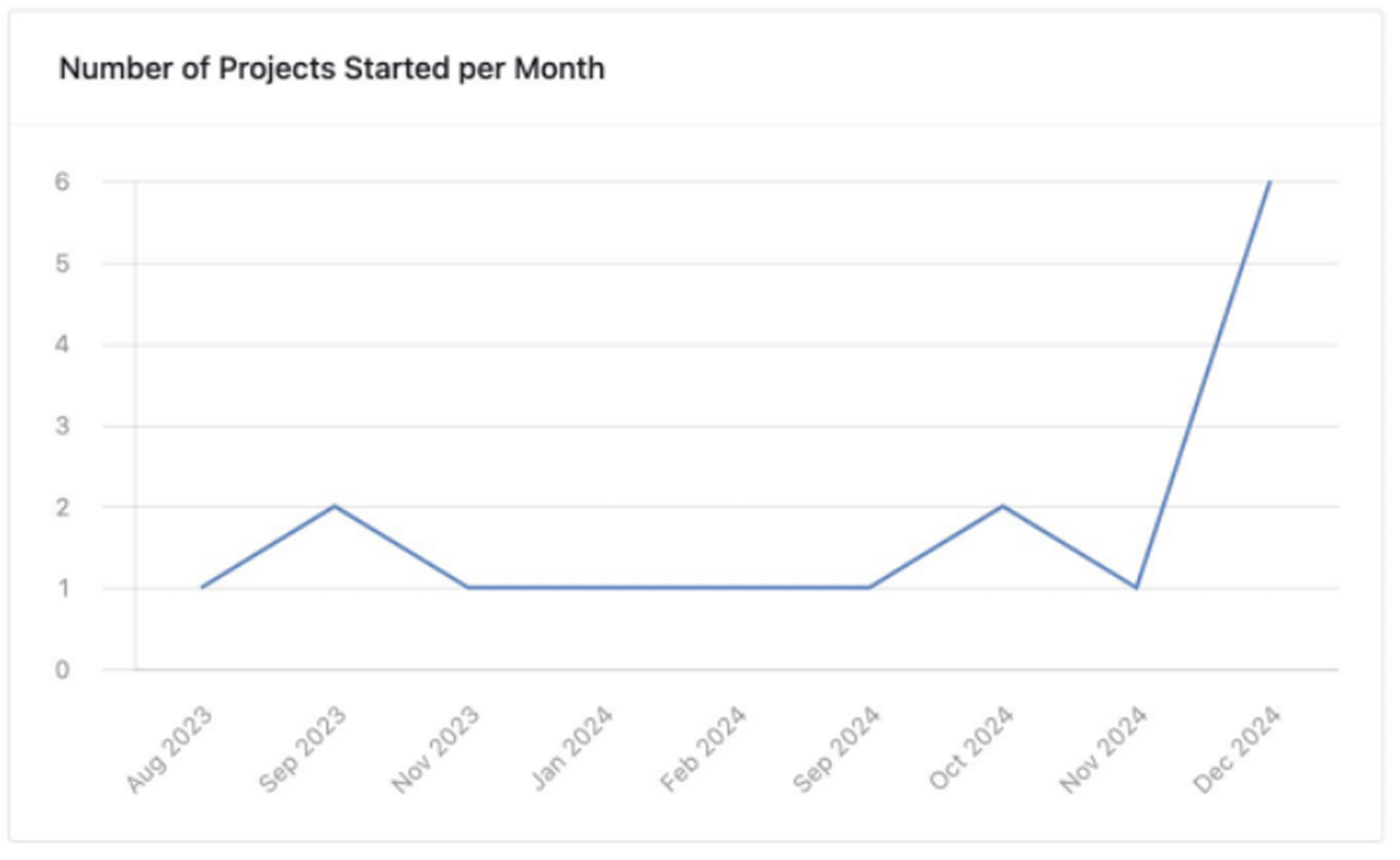
Easily monitored and tracked
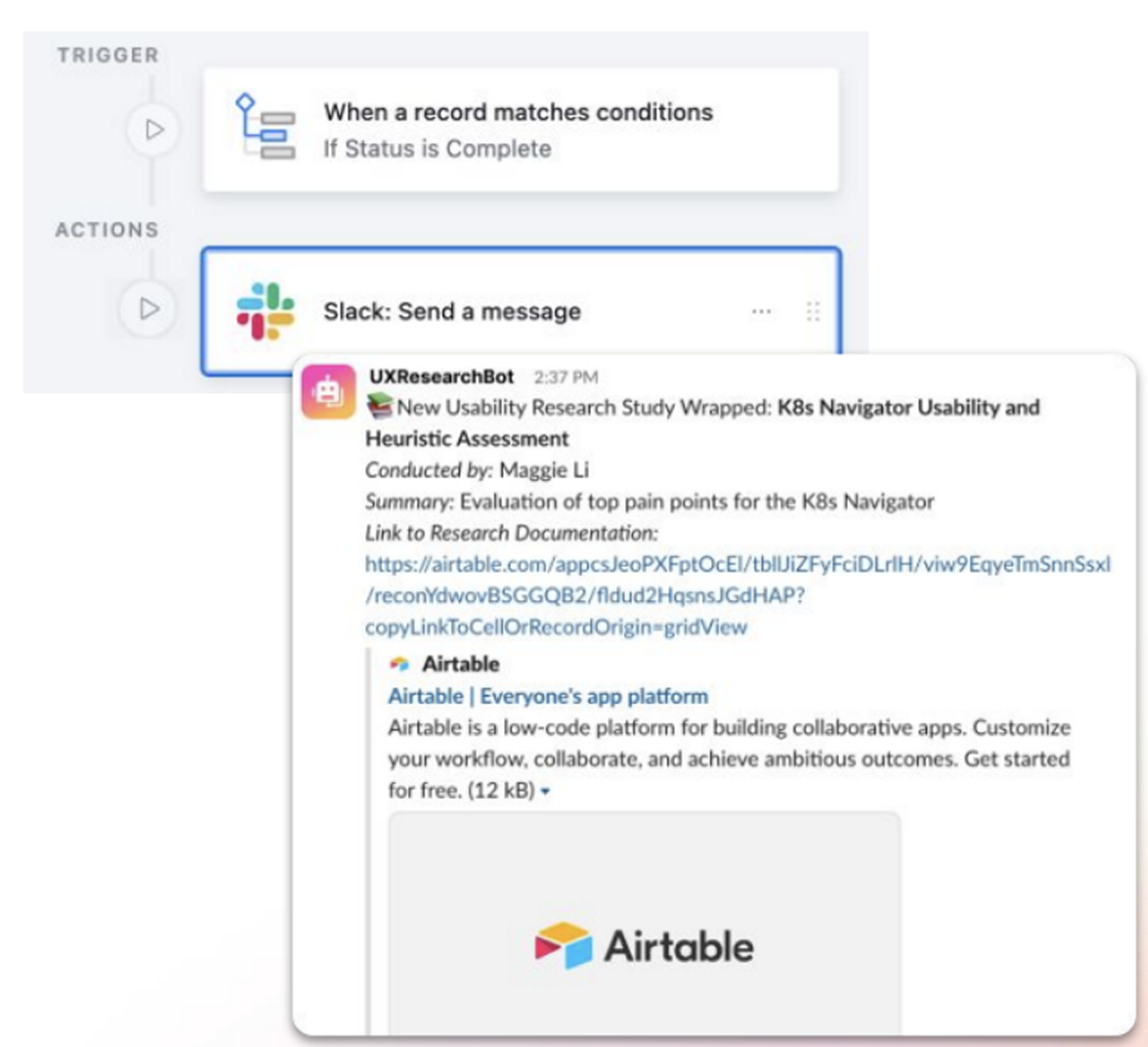
Discoverable through automations
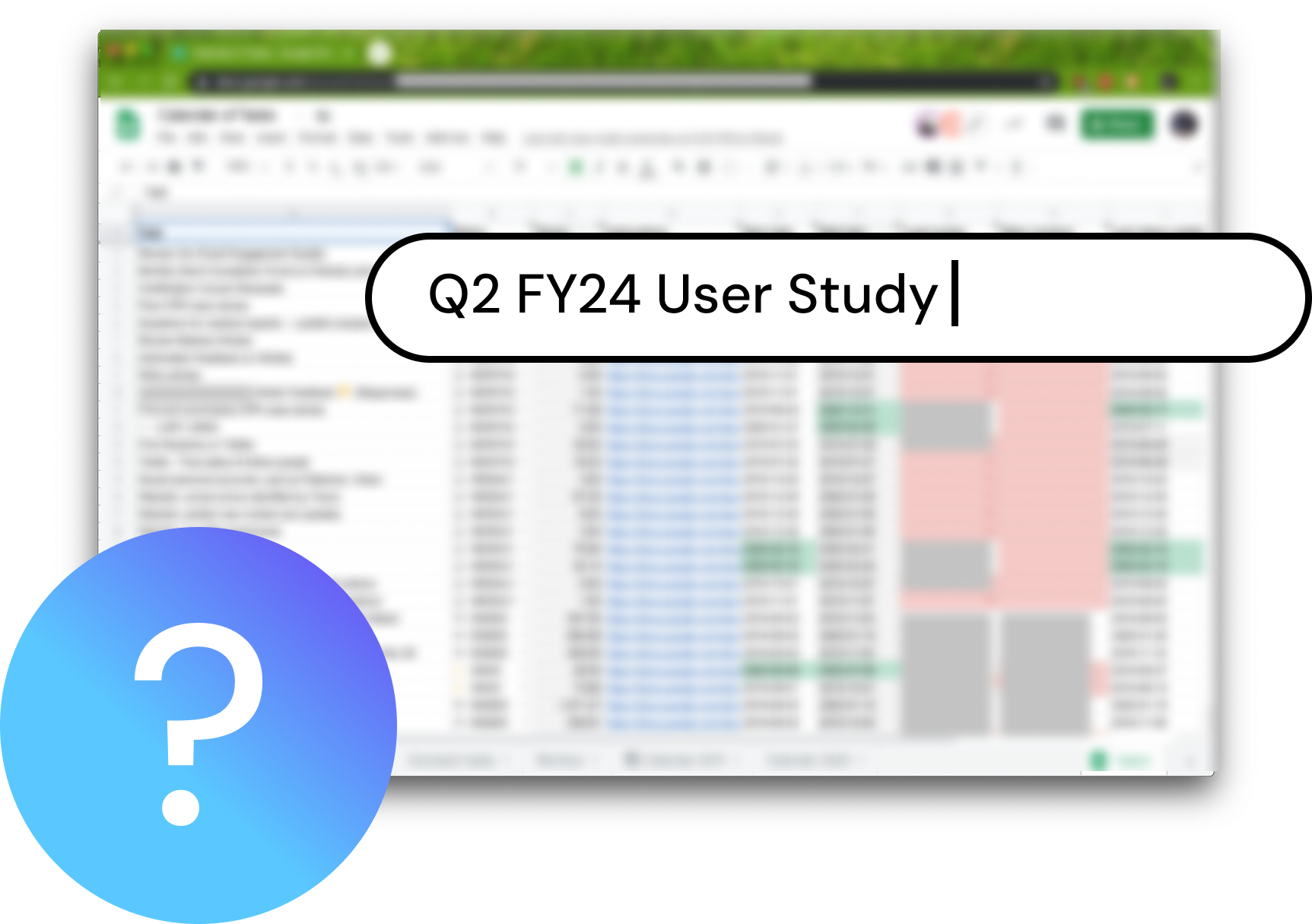

PROBLEM DISCOVERY
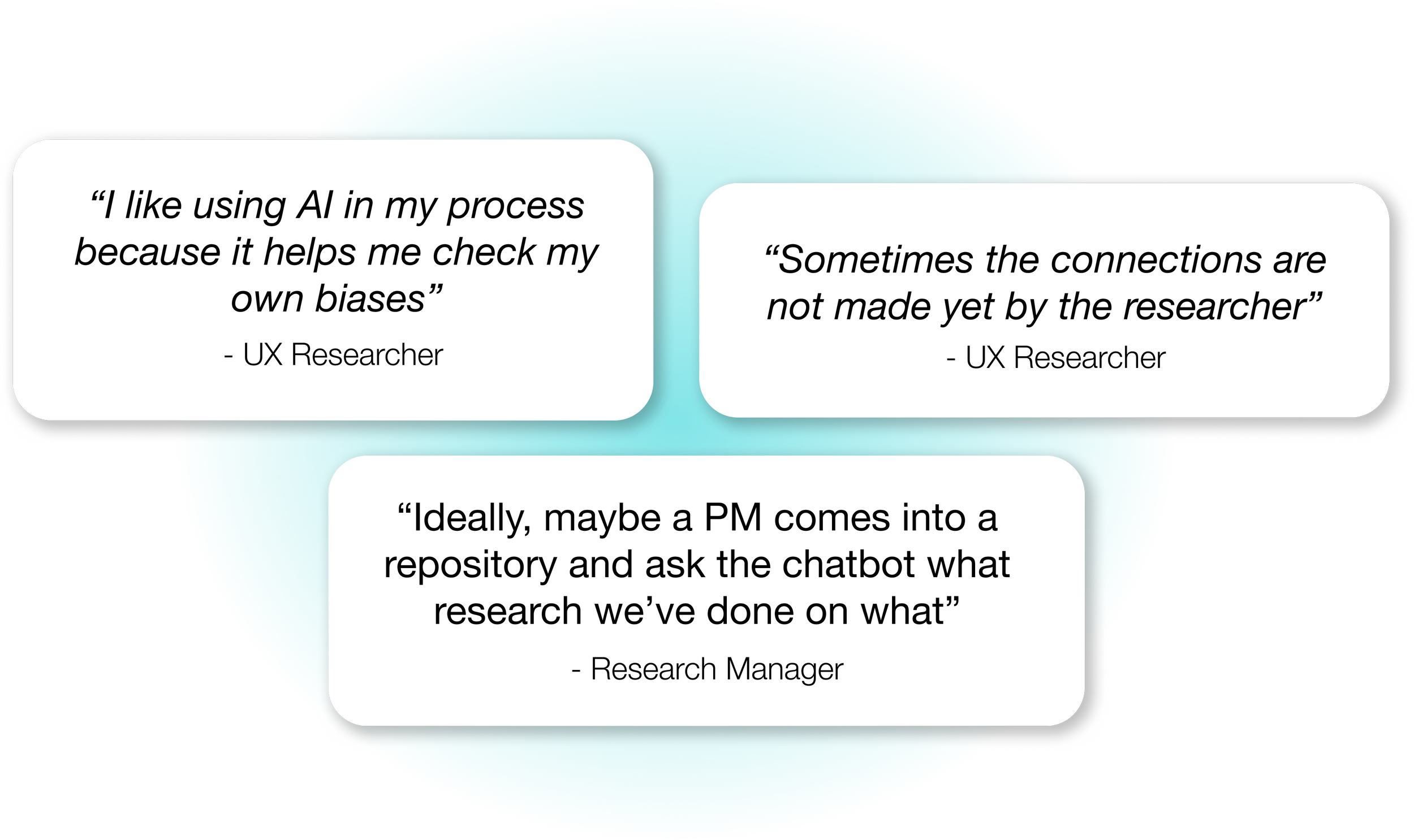
After my internship, I was still thinking about this project... Researchers are unable to have a wide breadth of understanding of all research that has been and is currently being done in their organization. This is a problem, because ideally, UX Researchers’ work should be more easily injected into the product ideation/ development process!
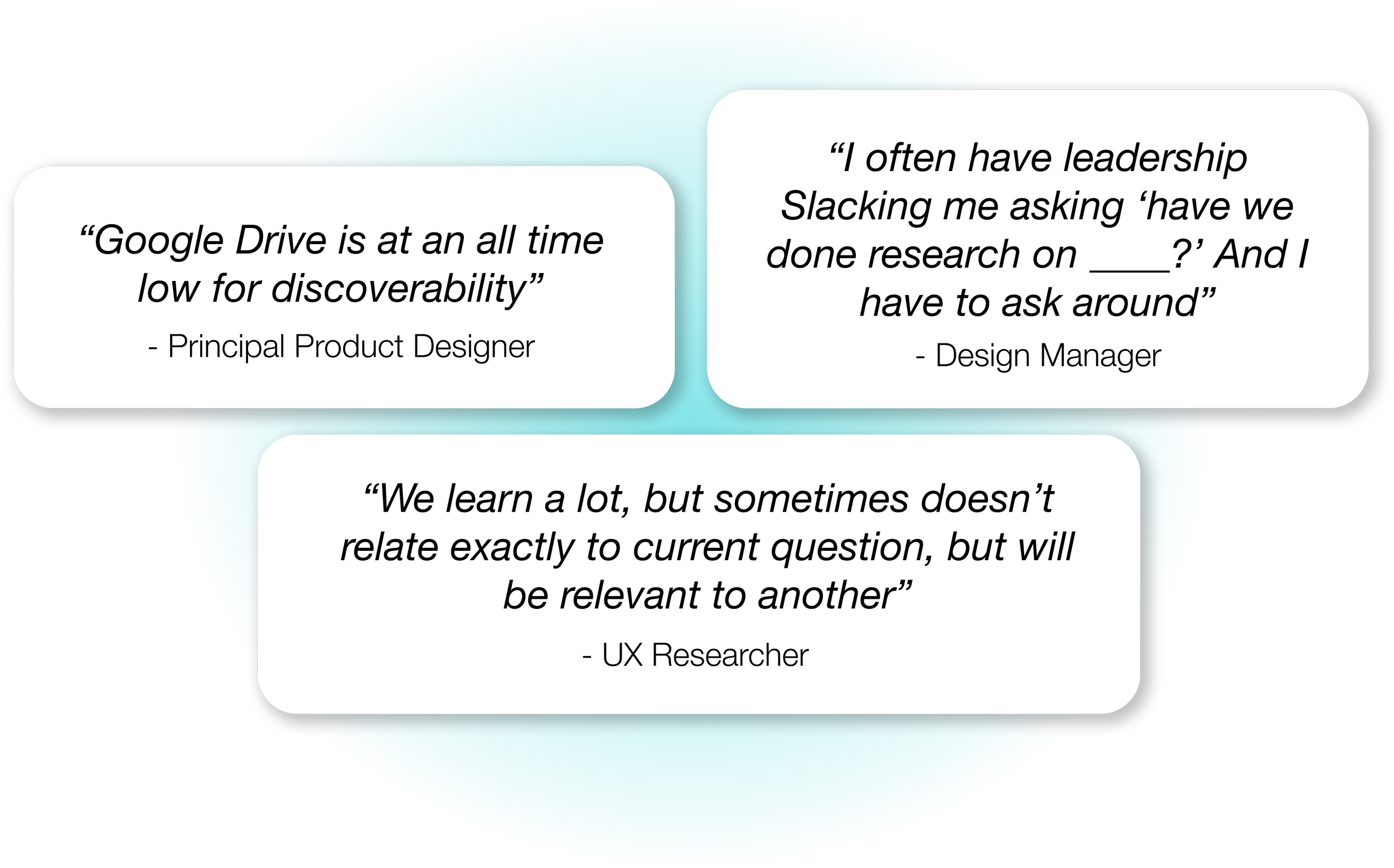
Many researchers shared that they’re frequently asked to summarize the current state of research (key patterns, recent insights, and what’s already been explored) because existing repositories are hard to navigate for anyone not already familiar with them, including new team members and stakeholders outside the research team.
Low discoverability of insights
Many also noted that insights aren’t flexible or tailored to different audiences, requiring researchers to manually add context so stakeholders can understand findings, something they often don’t have the time or resources to do.
Insights require context to make connections
THE PROBLEM
As organizations scale, qualitative insights become harder to find, understand, and act on.
Current Challenges:
Repositories assume historical context and pattern recognition that stakeholders may not have.
As qualitative data grows, surfacing relevant findings becomes time-consuming.
THE OPPORTUNITY
Great products start with great research. Let’s unlock it for everyone on the team!
They need a system that reduces manual overhead, and allows stakeholders to intuitively discover and apply insights from past research, empowering more informed, aligned product decisions!

System & Information Architecture
This flow illustrates how users move from a broad question or decision into focused research insights. Starting from a central entry point, users can explore via guided discovery, search and filters, or direct questions through Navi chat. Insights are organized by persona, product, KPI, or across all research, with clear paths to dive deeper, view related projects, or start a new inquiry.
User Flow

This diagram shows how the AI agent turns a user’s question into a visual output: inputs are structured with contextual variables and a defined schema, sent to the model to retrieve relevant research and KPI data, and returned as structured output that feeds directly into the Figma interface, creating a closed loop between user input, context, and design.
AI Agent System Architecture

WORKs-like prototype
I worked with a fellow classmate, Hanna Khoury, to develop a “works-like” prototype of this AI Agent in an emerging tool called ZeroWidth. We created a knowledge base of user interview transcripts, research reports, and disparate pieces of data for the chatbot to pull from, and constructed a set of instructions and variables that would prompt the agent to challenge users when they inquired for data, and would pull together relevant insights across the repository based on their query. Here is a demonstration of this interaction in action.
What If Your Research Could Talk Back?
Insight Through Interrogation
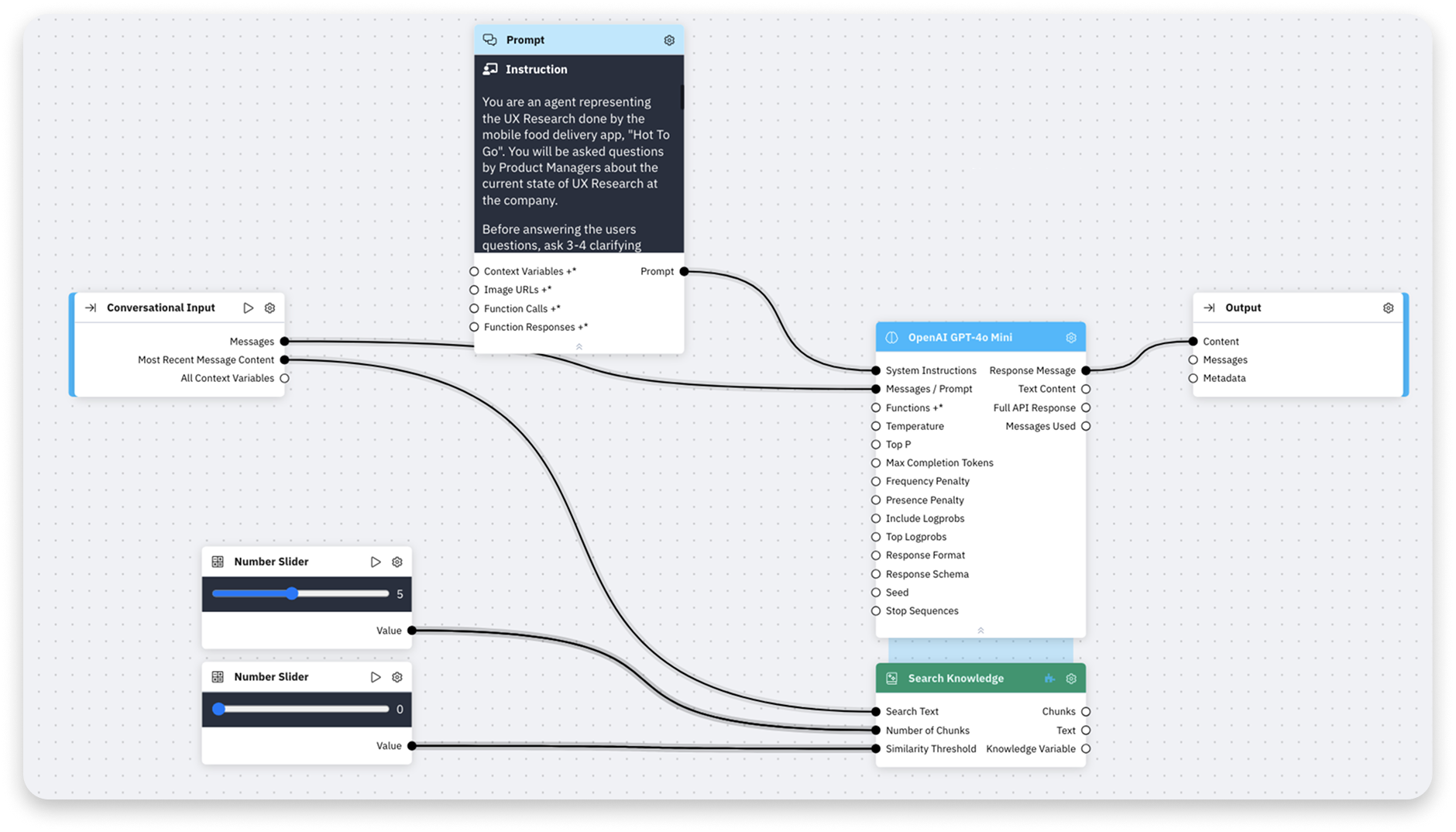
After multiple iterations, we developed an agent that was able to pull from the unstructured database and provide relevant results, along with data from the internet, that might support the insight a user is searching for. We ensured that it constantly challenged the user and asked questions about the reasoning behind their inquiry, which we found to be important after speaking to multiple user researchers.
LOOKS-like prototype
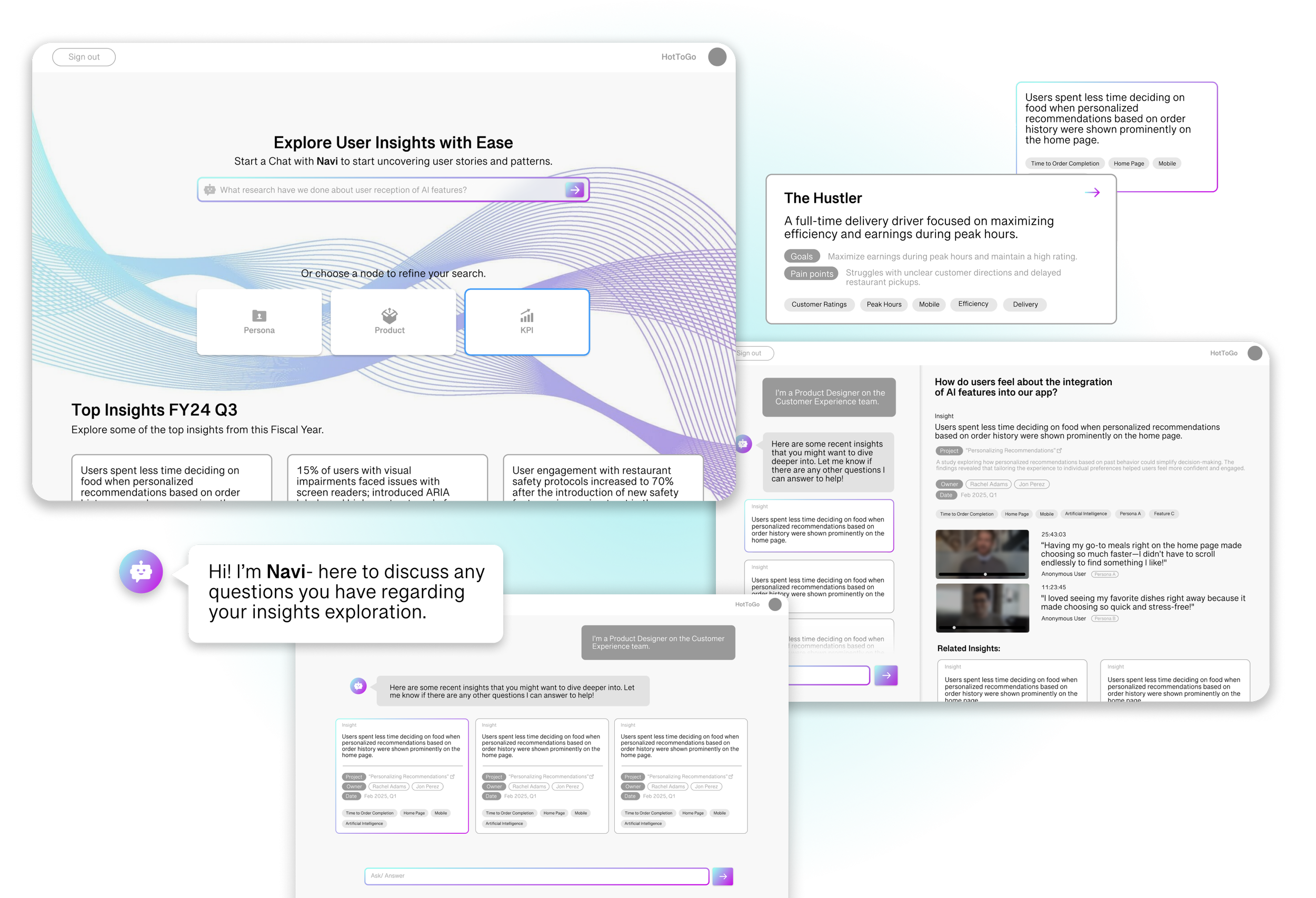
This flow shows how a user goes from a high-level question to specific research insights. From one starting point, they can explore by browsing, searching and filtering, or asking Navi a direct question. Results are organized by things like persona, product, or KPI, with easy ways to dig deeper or start a new question.
FEATURE 1
Insight-driven Discovery
Browse research without having to know exactly what study you’re looking for
Users can explore insights by Persona, Product, or KPI, making it easy to spot patterns and understand what’s been learned at a glance—without needing to know exactly what to search for.
FEATURE 2
Deep Dive Insight View (Navi Chat)
Ask questions and get relevant insights, instantly
Users can ask natural-language questions and instantly see the most relevant insights, removing friction from traditional research repositories.
FEATURE 3
Deep Dive Insight View
Understand the “why” behind an insight
Each insight includes study details, clips, quotes, and related findings, helping teams quickly understand the evidence behind the takeaway.
BRANDING
Balancing familiarity with a futuristic edge
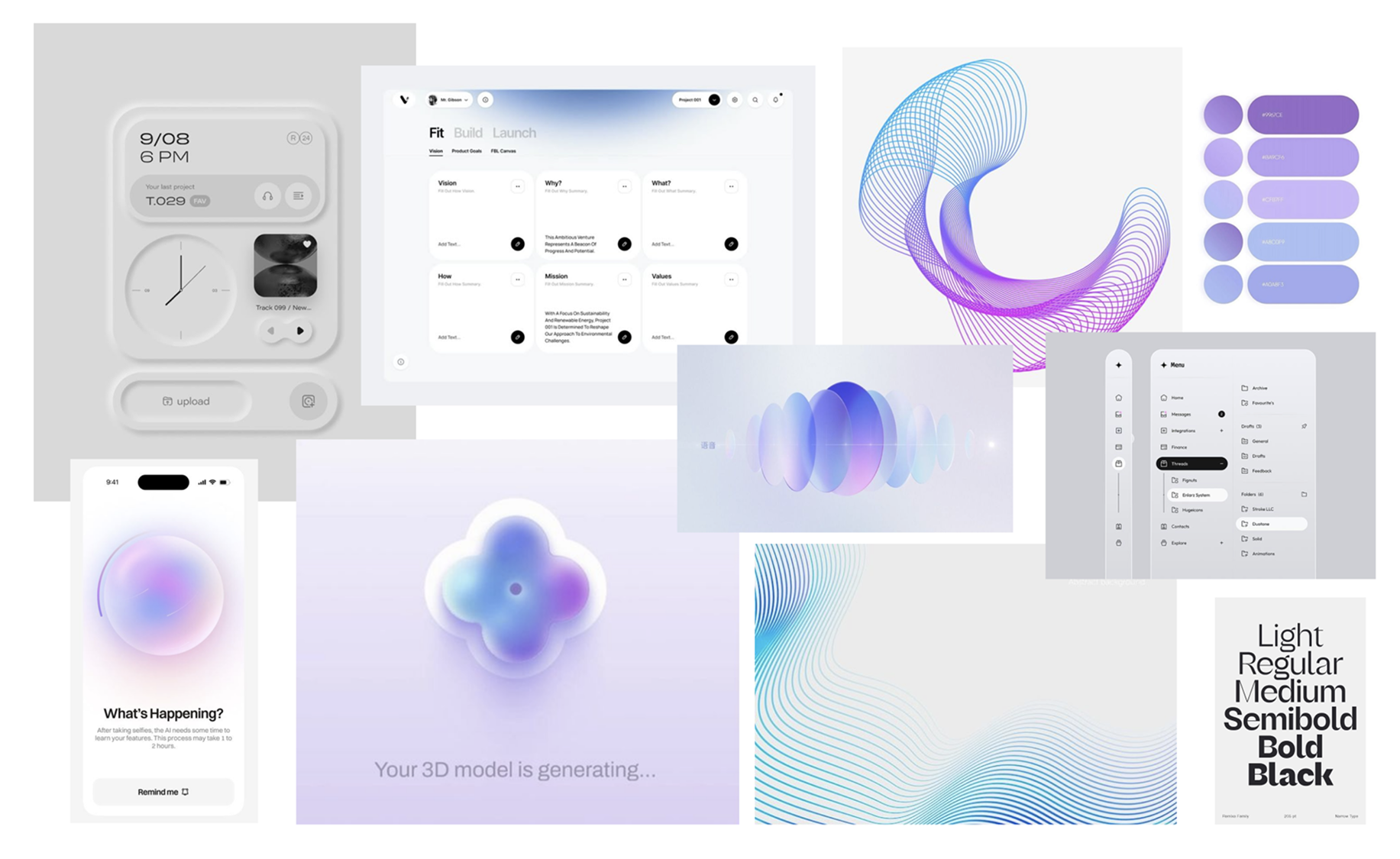
I curated visuals that combine simplicity with a futuristic edge. The goal was to evoke intelligence and modernity, creating a brand that feels forward-thinking.
Sleek
Minimal interfaces and clean typography give the product a polished, high-tech feel.
Intelligent
Subtle gradients and mono-type fonts signal that this is an AI-native experience.
Effortless
Intuitive and simple, guiding users through complex information without overwhelming.

PIVOTS ALONG THE WAY
Search by Project → Search by Insight
Stakeholders are searching for a particular insight, not a specific study. They want to be able to dive deeper into a study after insight discovery.
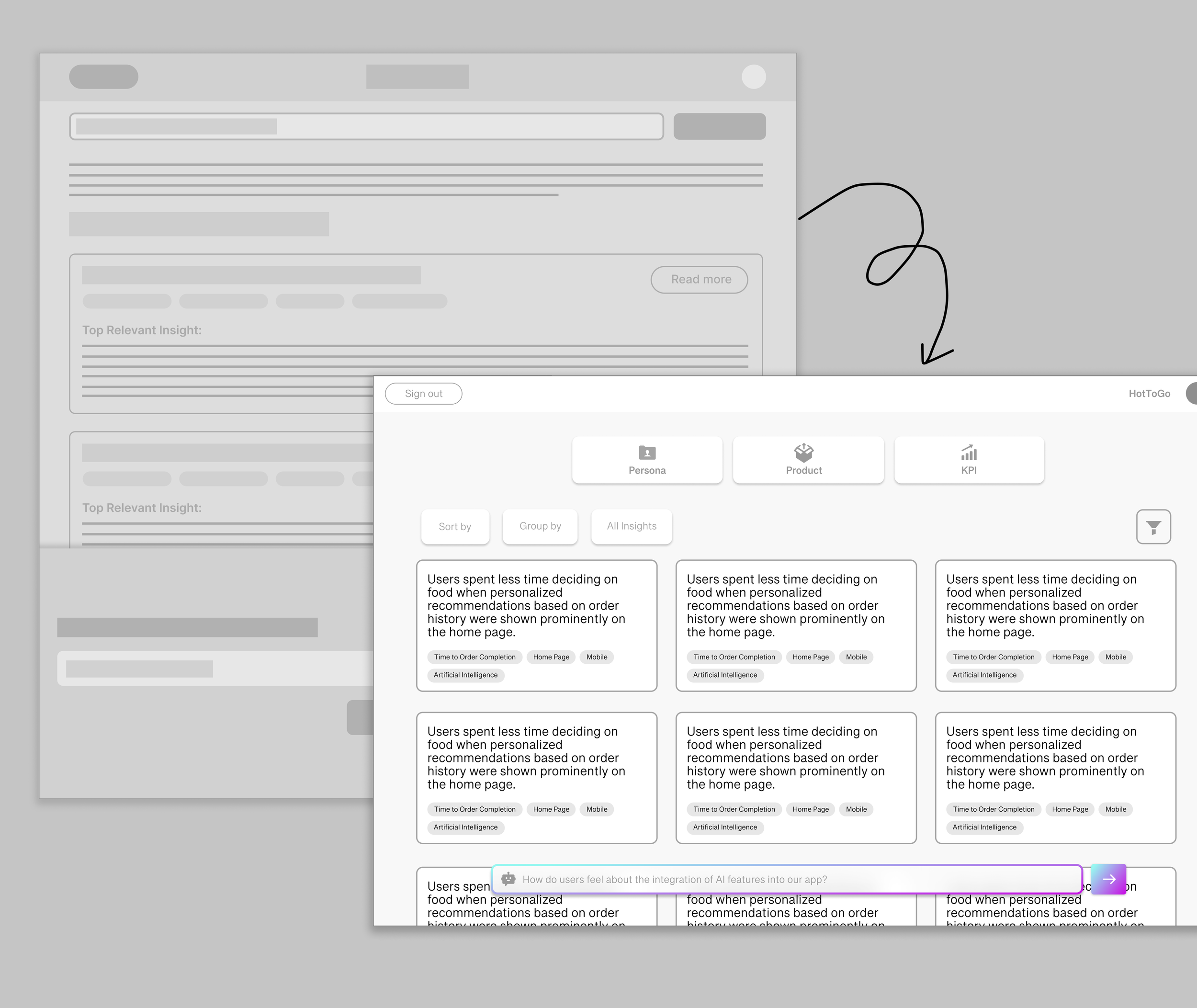
Research insights require context to understand, and should be a starting point for discussion. Stakeholders want to engage in dialogue.
Discover through query → Conversational Discovery
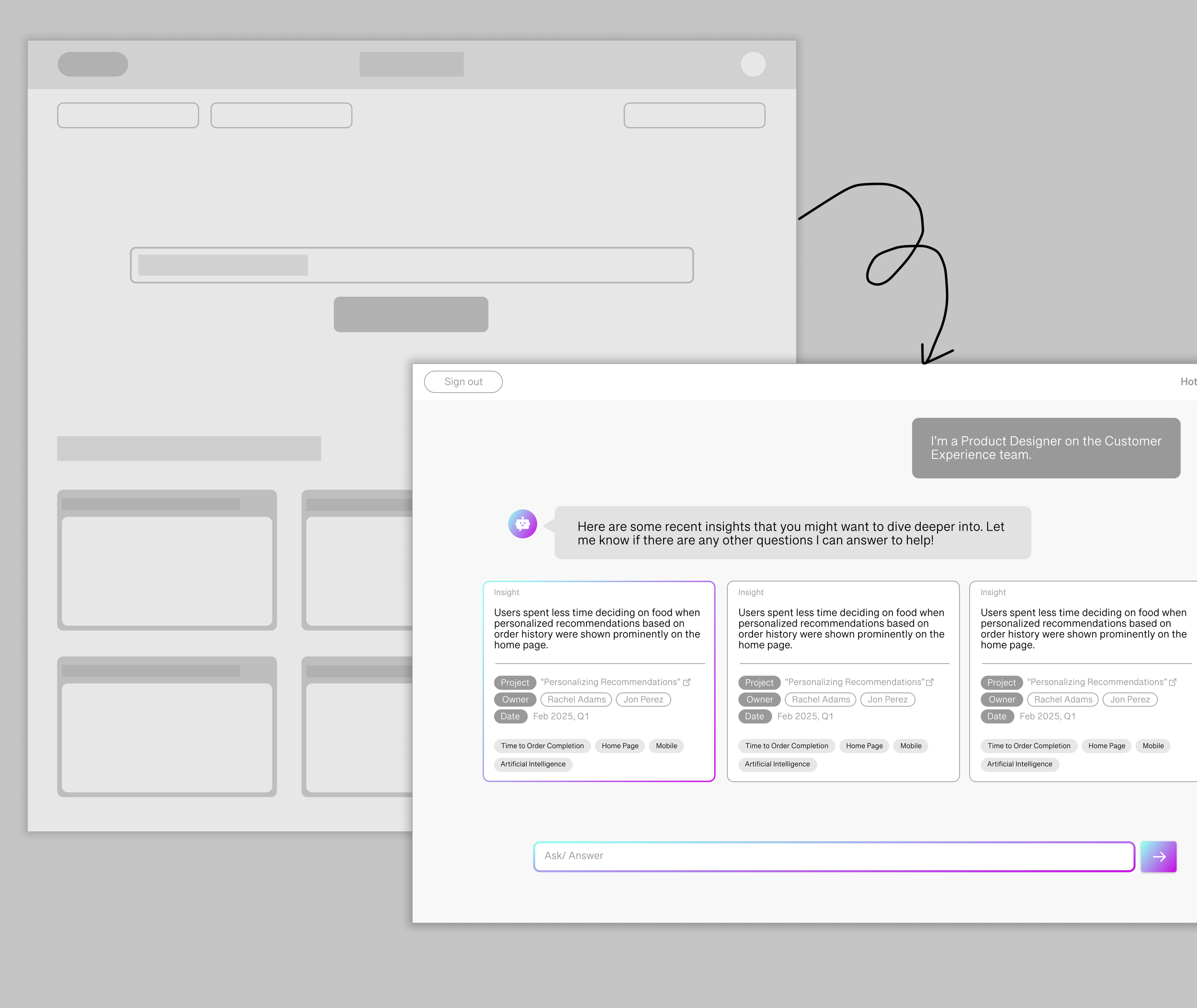

Design Reflections & Future Directions
Researchers as Users
As I continue with this project, I will have to consider the experience of researchers inputting data. I may have to ask myself the following questions… What does the UX look like for inputting data and transcripts? What tools or visualizations could help researchers identify the most pressing questions users have about their work? Could a dashboard provide insights to strategically guide the selection of future research projects?
Redefining the Display of Search Results
Especially in the case of UX Research, the way information is displayed might be related in ways other than relevance to the query- it might be beneficial to look into way to display convergent and divergent relationships between insights. How might search results evolve to better align with the way researchers process information? Could insights be visualized as interactive nodes, mimicking affinity mapping, to help researchers group and understand their findings more intuitively?
Dealing with Conflicting Insights
It would be interesting to explore a possibility where Navi challenges the user more throughout their insight discovery process- monitoring the connections they are making between insights, and offering suggestions/ questions in real time that enables the user to gain a deeper and more thoughtful understanding of the data.
keep exploring
keep exploring
IA COLLABORATIVE
Human-in-the-loop GenAI market research tools that illuminate the customer experience.

BUDGE
End-to-end mobile app aimed at helping college students budget smarter.

SONY MUSIC
Crafting engaging social strategy for music artists at Epic Records.

